
What Are the Best Ergonomic Strategies for Desk Workers to Avoid Golfer’s Elbow?
The most effective ergonomic strategies for desk workers to prevent golfer’s elbow include optimizing your workspace setup, maintaining proper typing posture, taking regular movement breaks, and incorporating targeted stretching exercises into your daily routine.
TL;DR — Key Takeaways for Elbow Comfort at Work
- Maintain wrist-neutral typing: Keep wrists flat and elbows at 90-110 degrees.
- Set your chair and desk height: Your elbows should align with or be just above the desk.
- Breaks matter: Stretch forearms and fingers every 30-60 minutes to prevent tendon stress.
- Use ergonomic tools: Opt for split keyboards, vertical mice, or forearm supports for long hours.
- Strengthen and stretch: Use low-impact resistance exercises to prevent and relieve pain.
Understanding Golfer’s Elbow and Its Connection to Desk Work
Despite its sporty name, golfer’s elbow (medial epicondylitis) frequently affects desk workers who’ve never touched a golf club. This repetitive strain injury occurs when the tendons on the inside of your elbow become inflamed from overuse. If you spend hours typing, clicking, or maintaining poor arm positions, you’re putting constant stress on these delicate structures.
The telltale signs include a dull, burning sensation along the inside of your elbow that may radiate down your forearm. This pain often worsens during typing sessions or when gripping objects. Understanding these ergonomic strategies for desk workers is crucial because what starts as minor discomfort can quickly escalate into a chronic condition that affects your productivity and quality of life.
How Poor Desk Ergonomics Triggers Golfer’s Elbow
Your workspace setup directly impacts your elbow health. When your keyboard sits too high, your mouse placement creates awkward angles, or your arms lack proper support, the flexor tendons in your inner elbow bear excessive strain. This mechanical stress accumulates silently throughout your workday.
Poor wrist alignment compounds the problem significantly. When you constantly bend your wrists upward or angle them sideways while typing, the connected muscles pull incorrectly on your elbow joint, creating inflammation over time.
Take a moment to assess your current setup:
- Are your forearms parallel to the floor when typing?
- Do your wrists hover neutrally or rest on hard surfaces?
- Is your mouse positioned at the same height as your keyboard?
If you answered “no” to any of these questions, you’ve likely identified contributing factors to your elbow discomfort.
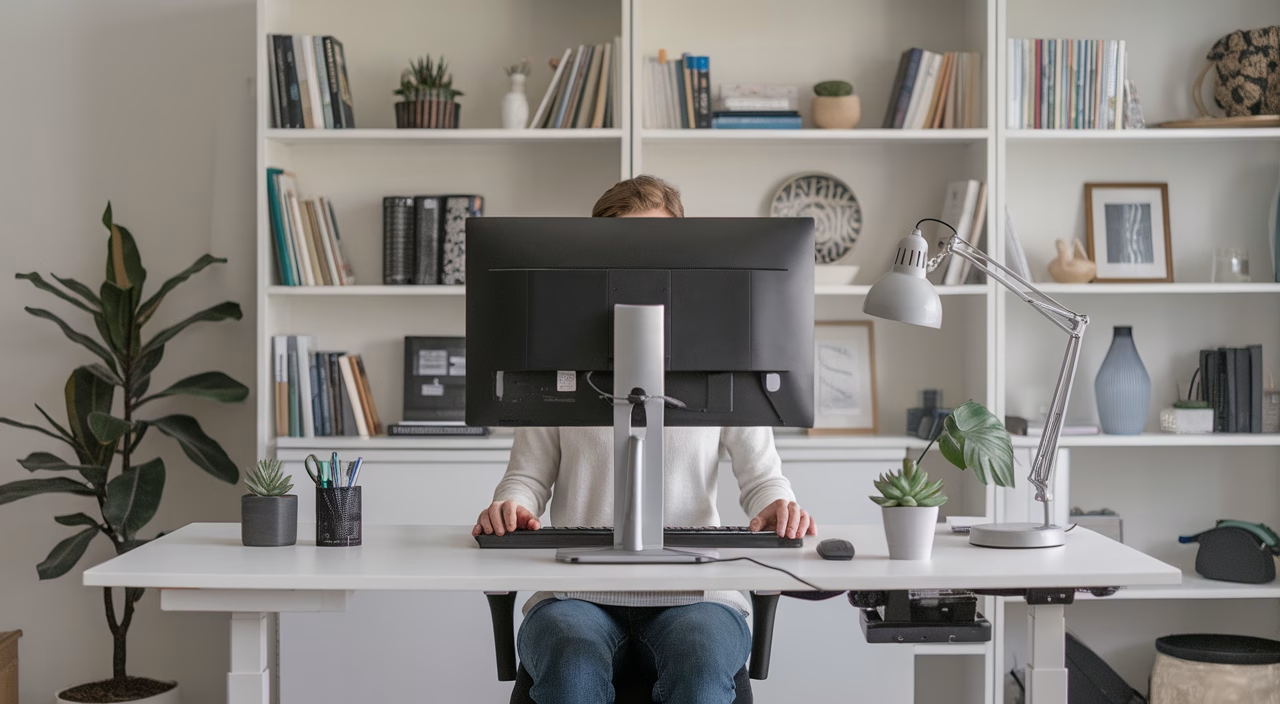
Essential Ergonomic Strategies for Desk Workers
Mastering Proper Typing Posture for Golfer’s Elbow Prevention
Proper typing posture forms the foundation of effective golfer’s elbow prevention. Your body should work as an integrated system, with each joint supporting the others in natural alignment. Poor posture doesn’t just affect your appearance—it fundamentally alters how forces distribute through your arms and shoulders.
- Elbow positioning: Maintain 90-110 degrees of flexion—avoid tucking elbows tightly against your ribs or letting them flare out excessively.
- Wrist alignment: Keep wrists straight and neutral, forming a continuous line with your forearms. Avoid upward bending or sideways deviation.
- Shoulder mechanics: Let your shoulders rest in their natural position—not elevated toward your ears or rounded forward. Adjust armrests to provide gentle support.
- Spinal alignment: Sit with your back supported in its natural curves. Use lumbar support to maintain proper posture without muscular effort.
Think of your typing technique like a skilled pianist—smooth, supported movements that flow from your core rather than isolated finger jabbing.
Optimizing Chair and Desk Height for Elbow Health
Your chair and desk heights create the structural foundation for healthy arm positioning. These ergonomic strategies for desk workers start with getting these measurements right, as everything else builds upon this base:
- Seat height adjustment: Position your feet flat on the floor (or footrest) with knees slightly below hip level to promote proper pelvic alignment.
- Desk height optimization: Your forearms should rest comfortably on the work surface with elbows at approximately 100 degrees—this reduces strain on elbow tendons.
- Armrest configuration: Set armrests to lightly support your elbows without lifting your shoulders, reducing the load on inner-elbow structures.
- Monitor positioning: Place your screen top at eye level to prevent forward head posture, which affects your entire upper body chain.
If you primarily use a laptop, invest in external peripherals to create the flexibility needed for proper ergonomic positioning.
Implementing Movement Breaks and Targeted Exercises to Prevent Golfer’s Elbow at Work
Static positioning, even in perfect alignment, creates its own risks for repetitive strain injury. Your muscles and tendons need regular movement to maintain healthy circulation and flexibility. These exercises to prevent golfer’s elbow at work can be performed right at your desk:
Essential Stretching Routine for Elbow Health:
- Flexor tendon stretch: Extend your arm forward with palm up, gently pull your fingers back with your opposite hand. Hold for 15-30 seconds.
- Extensor stretch: Turn your palm down and gently pull your knuckles toward your body to stretch the top of your forearm.
- Wrist circles: Make gentle, controlled circular motions with relaxed fists to promote joint mobility.
- Shoulder blade squeezes: Pull your shoulder blades together to counter forward posture and reset your upper body alignment.
Perform these movements gently and consistently—think of them as preventive maintenance for your musculoskeletal system.
Best Ergonomic Desk Setup for Office Workers
Creating the best ergonomic desk setup for office workers requires understanding how different configurations impact your elbow health. The right combination of equipment and positioning can dramatically reduce your risk of developing golfer’s elbow.
| Desk Setup | Posture Support | Elbow Safety | Ideal For |
|---|---|---|---|
| Basic desk with laptop only | Poor – promotes hunching | High risk of strain | Temporary or backup use |
| Desk with external keyboard/mouse | Moderate – requires conscious posture | Moderate strain if positioned poorly | Remote and hybrid workers |
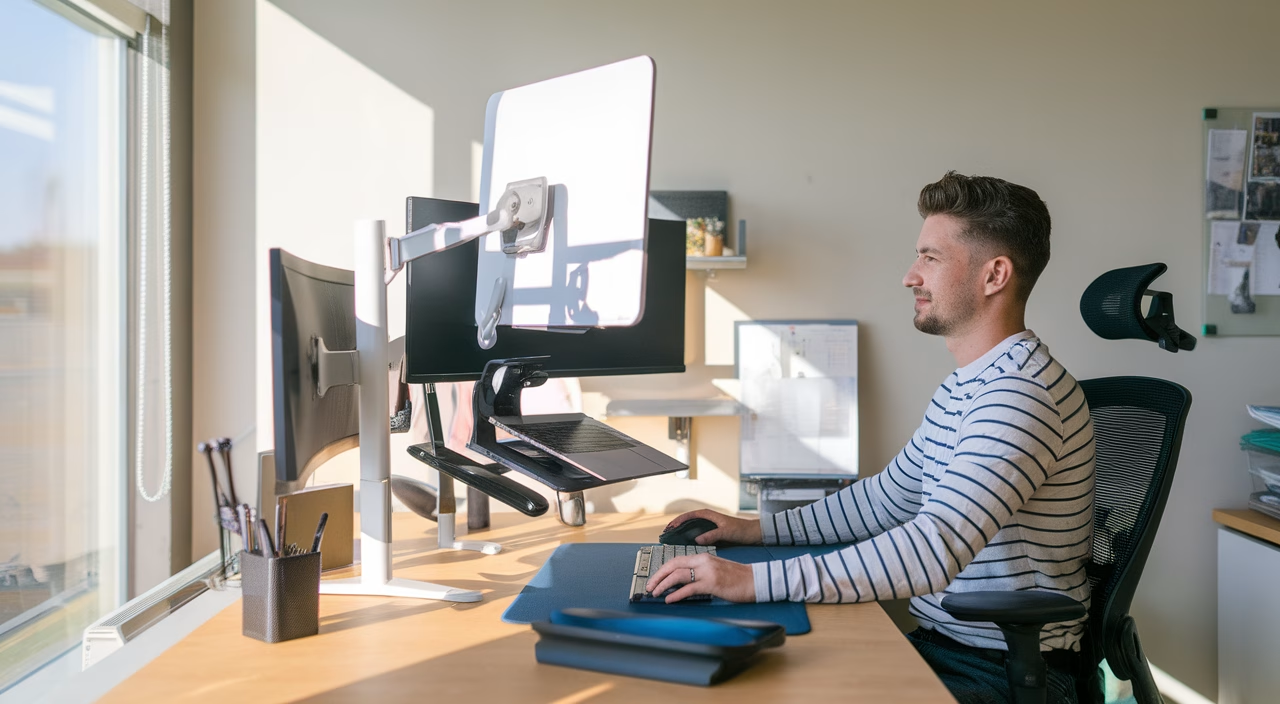
| Full ergonomic desk with monitor arm, keyboard tray | Excellent – promotes alignment | Low strain with breaks | Full-time desk workers |
Essential Components of an Ergonomic Workstation:
- Vertical or ergonomic mouse to minimize forearm rotation and reduce strain on elbow tendons
- Split or tented keyboard to promote natural wrist alignment and reduce ulnar deviation
- Adjustable monitor arms and keyboard trays for personalized positioning
- Forearm support pads to reduce floating arm syndrome
Natural Remedies for Elbow Pain Relief While Typing
If you’re already experiencing elbow discomfort, combining ergonomic improvements with natural remedies for elbow pain relief while typing can accelerate your recovery. These conservative approaches work synergistically with proper desk ergonomics:
- Heat therapy: Apply warm compresses to your forearm muscles before work sessions to improve circulation and tissue flexibility.
- Cold therapy: Use ice packs for 10-15 minutes after work to reduce acute inflammation in the elbow tendons.
- Self-massage techniques: Gently massage your forearm muscles with a tennis ball or your fingers to release tension and improve blood flow.
- Progressive strengthening: Incorporate light resistance band exercises to gradually build forearm strength and resilience.
- Posture awareness: Avoid leaning weight onto bent elbows—many workers unknowingly compress elbow structures this way.
With consistent application of these ergonomic strategies for desk workers, most people notice significant improvement in their symptoms within 1-2 weeks.
Creating Long-Term Success with Desk Ergonomics
Successful golfer’s elbow prevention requires transforming your workspace from a source of repetitive strain into an environment that promotes healing and comfort. The key isn’t achieving perfection immediately, but rather building sustainable habits that protect your elbow health over time.
Start with one improvement at a time: perhaps upgrading your mouse this week, adjusting monitor height next week. This gradual approach helps you adapt to changes while building lasting ergonomic awareness. Remember, small consistent improvements compound into significant long-term benefits for your elbow health and overall workplace comfort.
FAQs
- What angle should your elbows be at when typing?
Your elbows should be at a 90–110 degree angle, with your forearms parallel to the floor and wrists in a neutral position. - Can desk posture really cause golfer’s elbow?
Yes. Poor wrist angles and lack of forearm support can create repetitive strain on the flexor tendons, leading to golfer’s elbow. - What type of mouse is best for elbow pain?
Ergonomic vertical mice or trackballs can reduce rotational stress on your forearm and elbow. - Are standing desks better for elbow strain?
They can be, especially when paired with keyboard trays and monitor arms that allow for better alignment. - How often should I stretch at my desk?
Take short stretch breaks every 30–60 minutes to keep tendons mobile and reduce stress buildup. - What’s a cheap way to make an office more ergonomic?
Use folded towels or books under your monitor, a rolled-up sweater for back support, or a mouse pad with wrist support. - Who should I see if the pain gets worse?
If pain persists despite ergonomic adjustments, consult a physical therapist or certified ergonomics specialist.